
Jakarta eSIM: 4G/5G Data 3-30 Days, No Physical Card

Stay Connected in Jakarta Without the Airport Queue
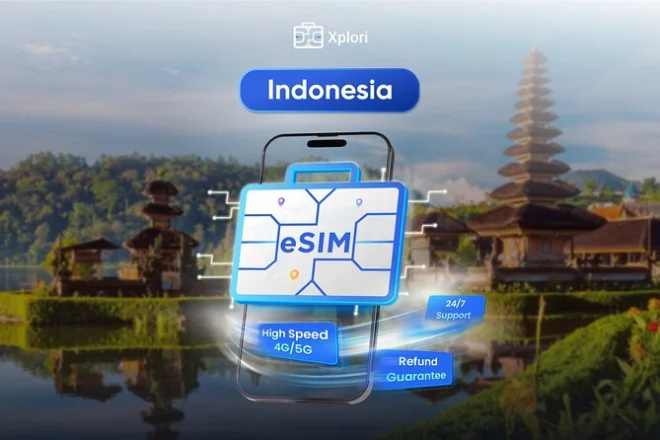
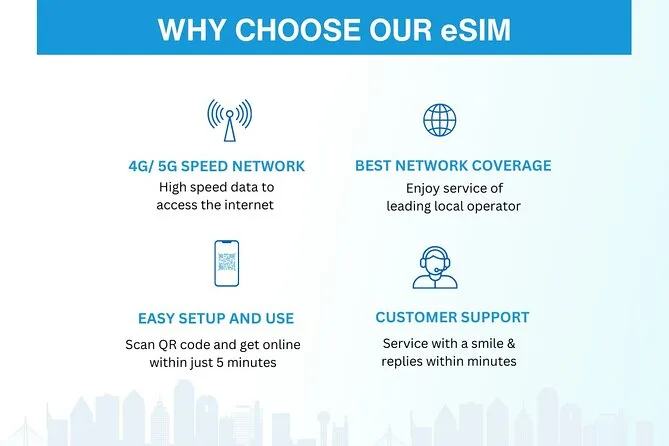
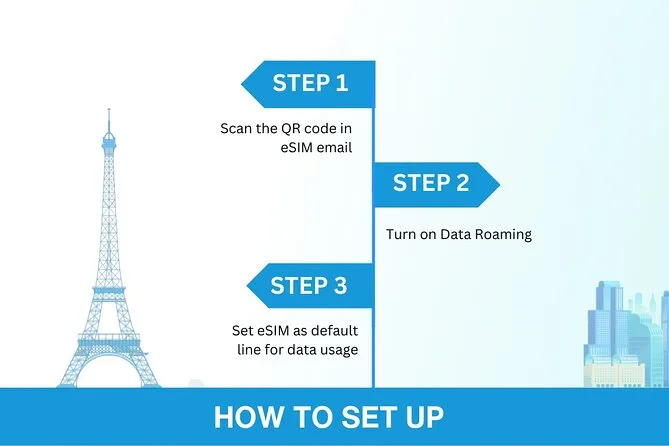
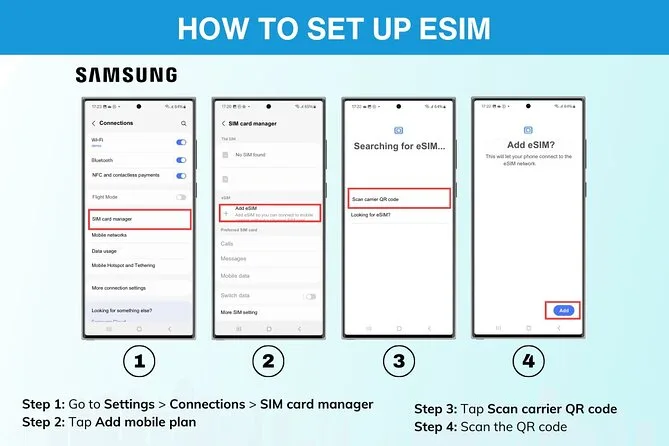
You receive the eSIM by email, scan a QR code upon arrival in Jakarta, and get 4G/5G data for 3 to 30 days at local rates—no physical card, no airport counter, no surprise charges. After your data cap, speeds drop to 3G but stay connected. Setup takes minutes and works on any eSIM-compatible phone.
 1d–30d

Step-by-step itinerary
Activate and use Indonesia eSIM
- Order eSIM online
- Receive eSIM via email
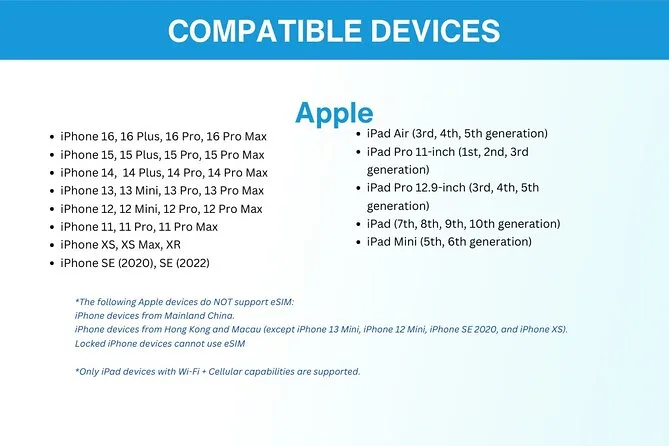
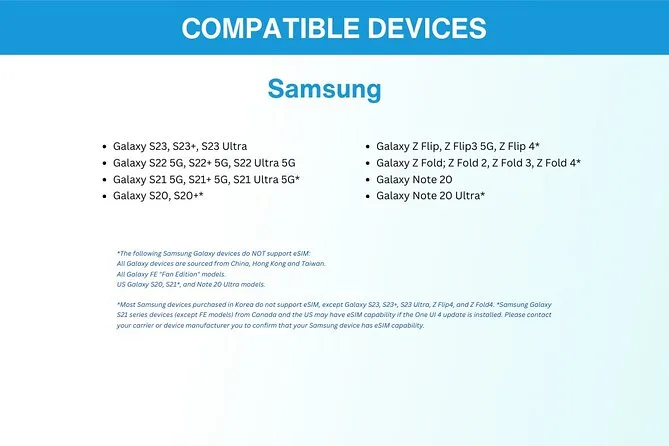
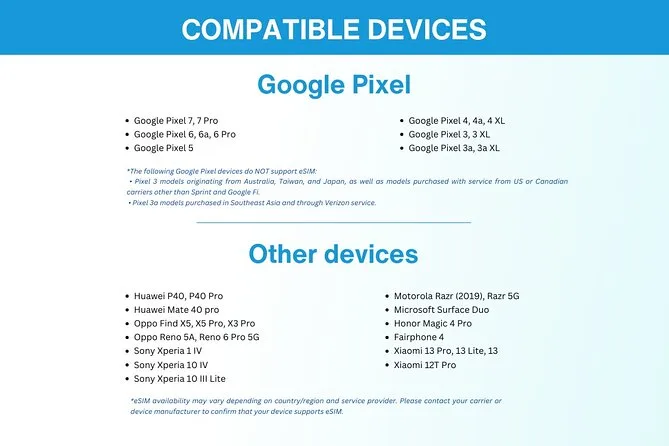
- Check device compatibility
- Print QR code as backup
- Activate eSIM on departure day
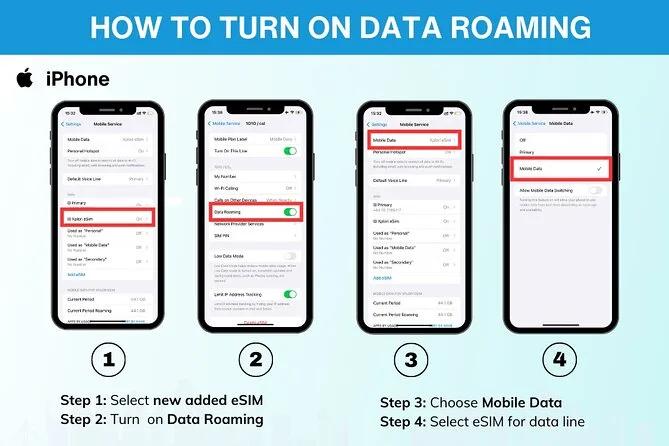
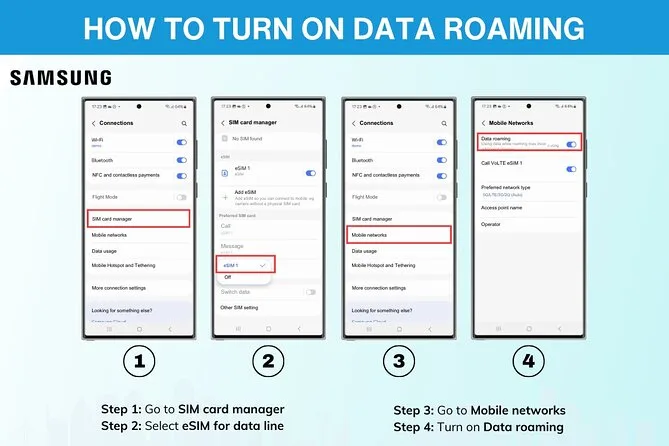
- Enable data roaming
- Enjoy 4G/5G data in Indonesia

The Experience
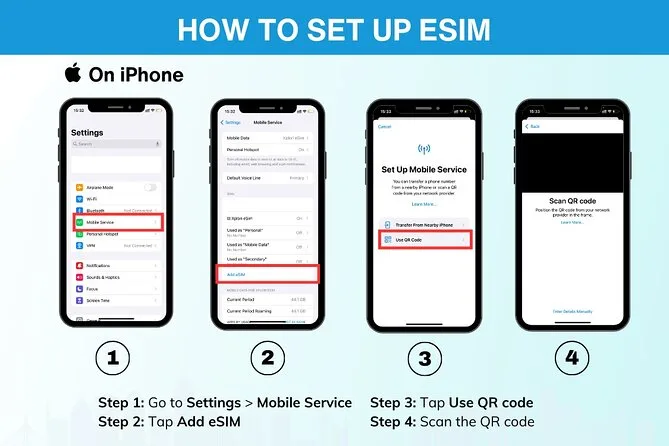
So you're landing in Jakarta and your phone is already set up—no hunting for a SIM card at the airport, no haggling over rates you don't understand, no waiting in line while your battery drains. The eSIM arrives in your email before you leave home, and you scan the QR code to activate it the moment you touch down or even on the plane if you've got WiFi. That's the whole thing. It takes maybe two minutes, and then you've got 4G/5G data running on local rates for whatever stretch of time you picked—three days if you're just passing through Jakarta, or the full thirty if you're staying longer.
The flexibility is what actually matters here. You're not locked into some package you'll only half-use, and you're not paying roaming charges that'll make you think twice before opening Google Maps. Pick your window when you book, activate when you arrive, and the data cap is whatever you chose—up to 60GB if you're doing a month. After that it drops to 3G, which is slow enough that you'll notice, but it's not like you lose connection entirely. The whole setup is digital, so there's nothing physical to lose or swap out, and if your phone supports eSIM—which most newer ones do—you're already good. Just double-check before you order, because that's the one thing that'll stop it from working.
One thing to keep in mind: you need internet to activate it in the first place, so either do it on your home WiFi before you leave, or make sure you've got a connection when you land. The company recommends printing the QR code as a backup, which sounds paranoid until you're in a taxi with a dead phone and no way to scan anything. Remote support is there if something goes sideways, but the activation itself is straightforward enough that most people won't need it.

What’s included
- Mobile data access (4G/5G at local rates) for your chosen duration.
- eSIM delivery via email.
- QR code for activation.
- remote customer service support throughout your stay.
Operated by Xplori
Is this one for you?Right for travelers who want data sorted before landing and don't want to hunt for a local SIM card or deal with airport markup. Expect to activate within minutes of arrival, and plan to check your device supports eSIM before you book—that's the only real constraint.
Traveler reviews

Top questions
Can I activate the eSIM before I land?
Yes, if you have WiFi access. The company recommends setting it up the same day as your departure. You can also activate it after landing once you have an internet connection.
What happens when I use all my data?
Your connection switches from 4G/5G to 3G. You stay connected but at slower speeds. No additional charges apply.
Does my phone need to support eSIM?
Yes. Most newer phones do, but you should verify before ordering. Contact the provider if you're unsure about your device.
Is there a physical SIM card?
No. An eSIM is entirely digital and installs directly into your phone via QR code. Nothing to lose or swap out.
What if I don't use all my data within the timeframe?
The plan expires after your chosen duration (3 to 30 days). Unused data does not roll over.
Do I need to print the QR code?
It's not required, but the provider recommends printing it as a backup in case you can't scan it digitally during activation.
Is customer support available in Jakarta?
Yes. Remote customer service is included, so you can reach support by email or messaging if you run into issues.
Jakarta eSIM: 4G/5G Data 3-30 Days, No Physical Card
1d–30d
from US$ 5.90 per person
★★★★★★★★★★5.003 reviewsVerified traveler reviews via our booking provider
